> ## Documentation Index
> Fetch the complete documentation index at: https://docs.pantio.io/llms.txt
> Use this file to discover all available pages before exploring further.
# Share Memories
> Control who can see each memory
## Memory-level access control
Each memory has its own access level. You control who sees what, memory by memory.
 ## Access levels
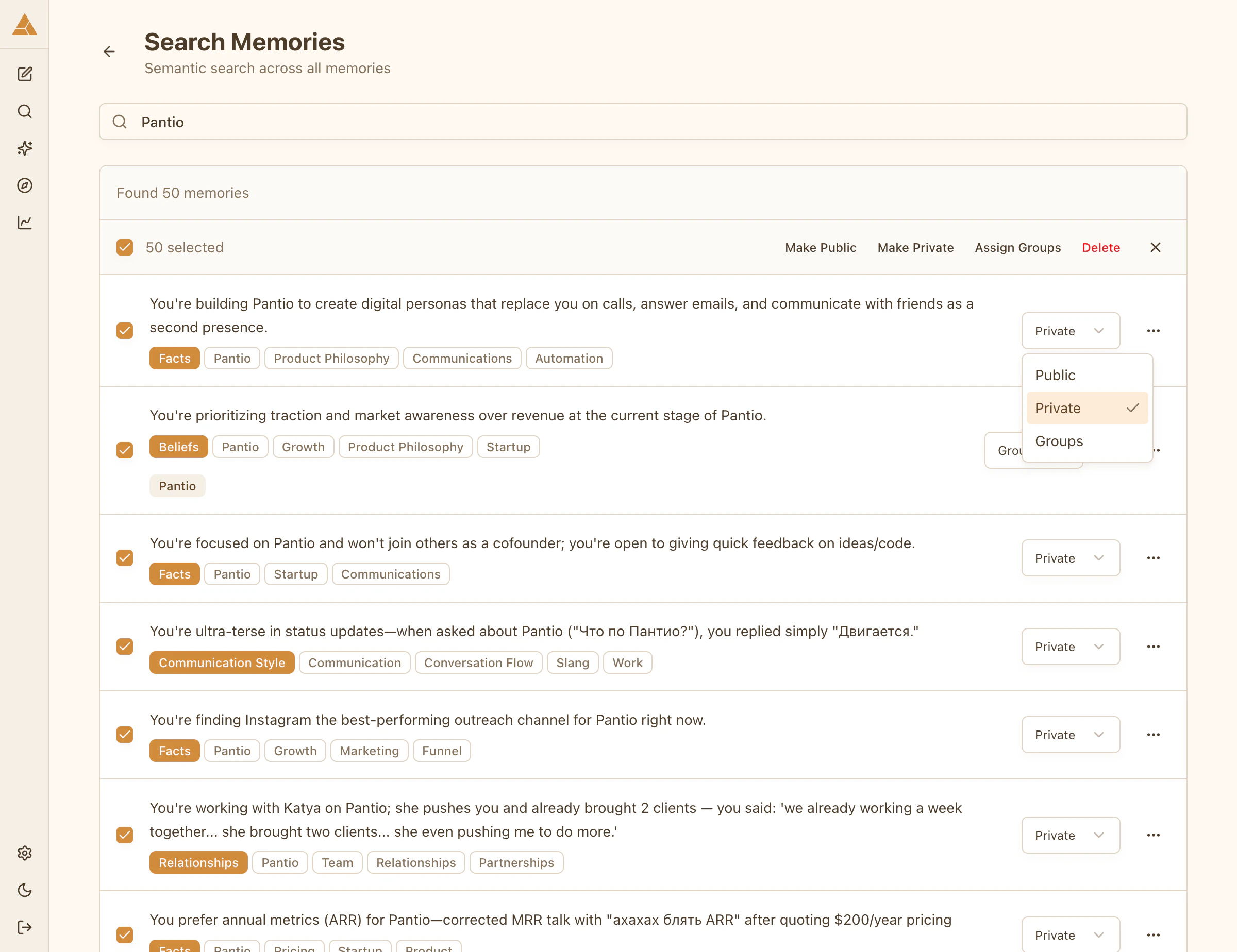
Anyone visiting your persona can see this memory
Only members of selected groups can see this memory
Only you can see this memory
## Setting access
Select any memory and choose **Public**, **Group**, or **Private**. For group-level access, select which groups can see this memory.
## Bulk access changes
Update access for multiple memories at once:
1. Use **Search Memories** to find related items
2. Select multiple memories with checkboxes
3. Choose **Make Public**, **Make Private**, or assign to a group
4. Changes apply instantly
## Access levels
Anyone visiting your persona can see this memory
Only members of selected groups can see this memory
Only you can see this memory
## Setting access
Select any memory and choose **Public**, **Group**, or **Private**. For group-level access, select which groups can see this memory.
## Bulk access changes
Update access for multiple memories at once:
1. Use **Search Memories** to find related items
2. Select multiple memories with checkboxes
3. Choose **Make Public**, **Make Private**, or assign to a group
4. Changes apply instantly
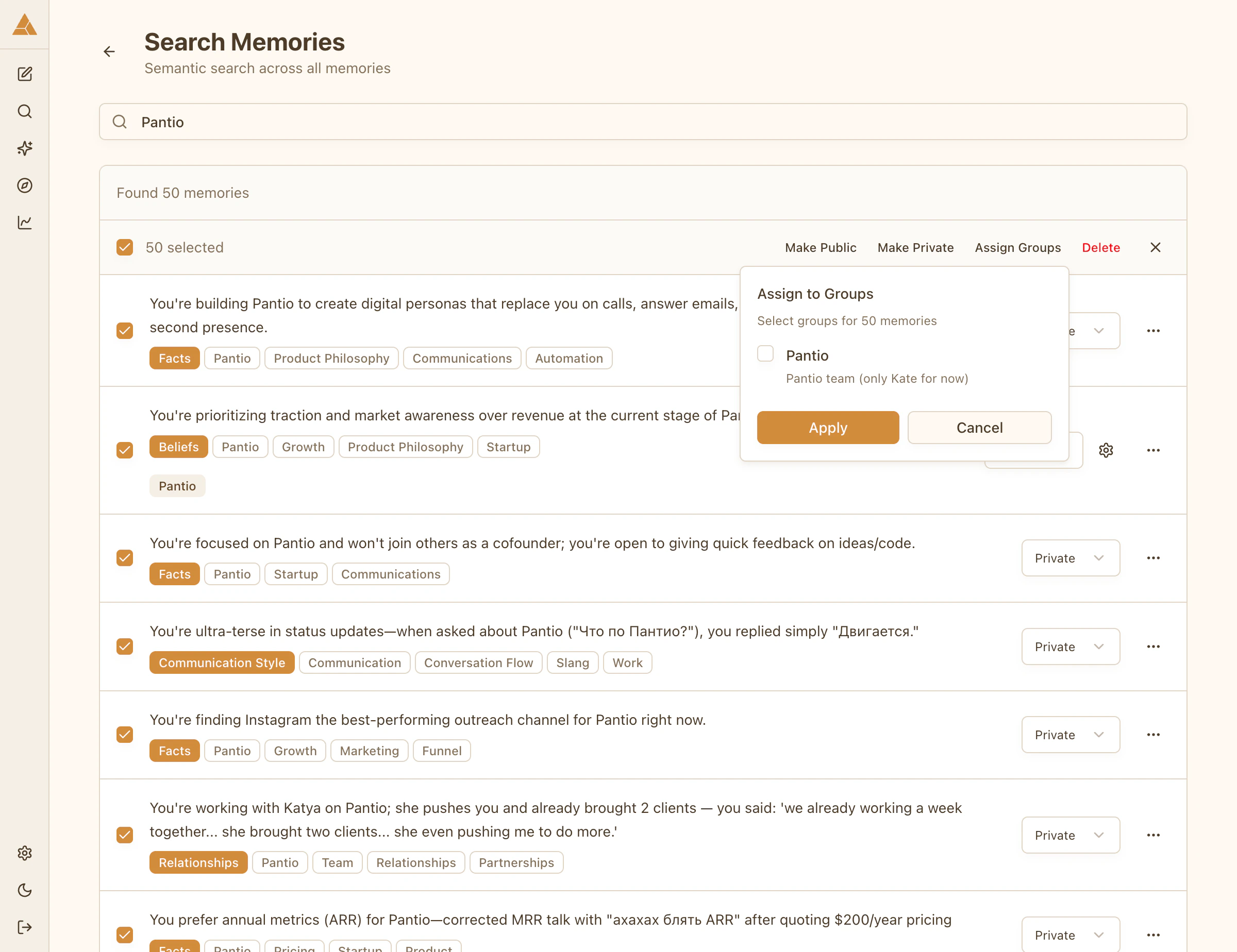 Example: Search for «work» and make all work-related memories visible only to your «Colleagues» group.
## Smart Memory Sharing
Let AI automatically distribute your memories between private, group, and public based on content analysis.
Example: Search for «work» and make all work-related memories visible only to your «Colleagues» group.
## Smart Memory Sharing
Let AI automatically distribute your memories between private, group, and public based on content analysis.
 ### How it works
When enabled, AI analyzes each new memory and assigns the appropriate access level:
* **Private** - Sensitive information, personal data
* **Group** - Information relevant to specific groups
* **Public** - General facts, non-confidential information
### Enable Smart Sharing
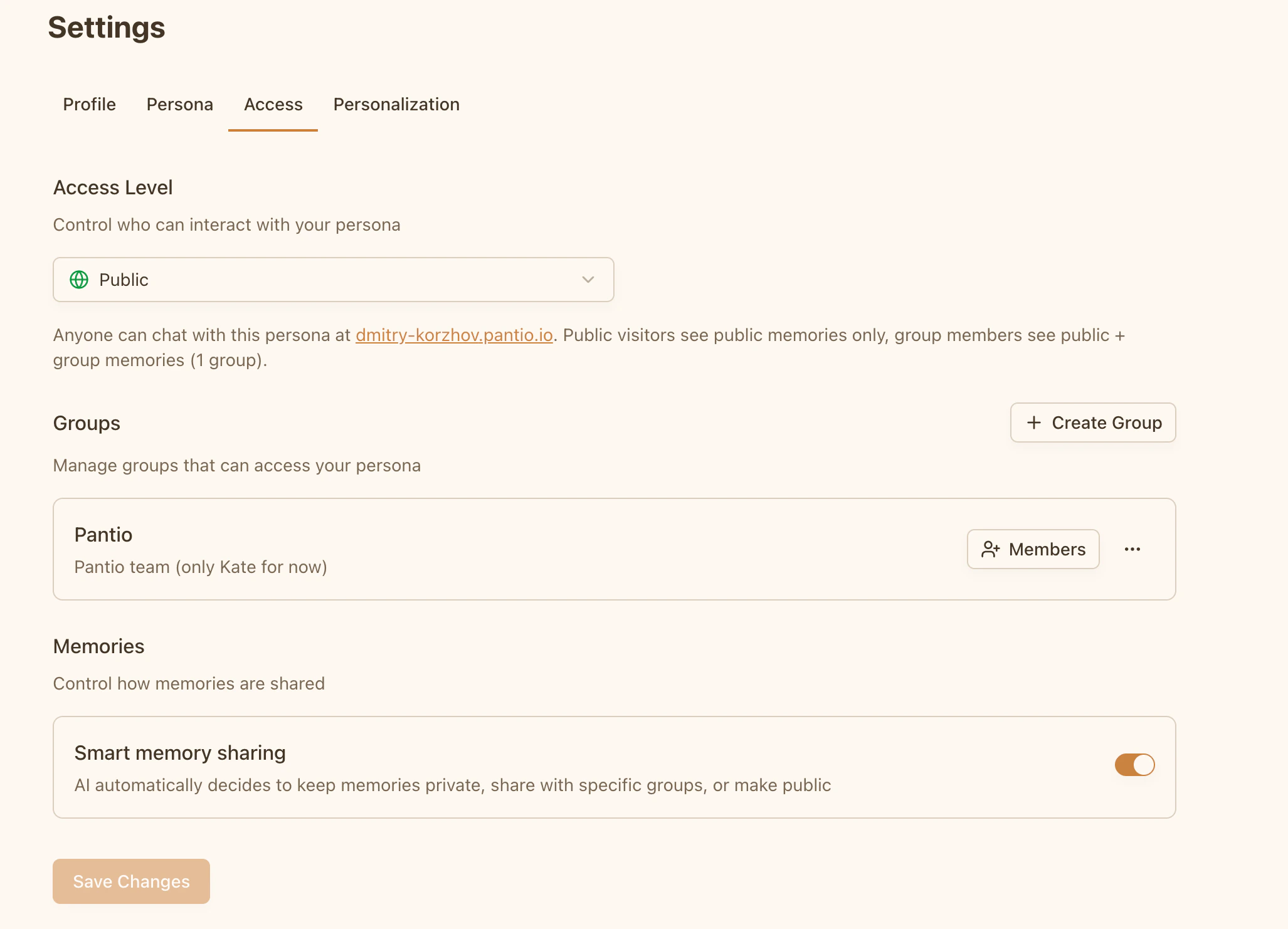
Go to **Settings → Access → Memories** and toggle **Smart memory sharing**.
Available only for personas with group or public access level.
### What AI considers
* Content sensitivity
* Your groups and their descriptions
* Persona access level
AI will only assign memories to groups that match the content. If no suitable group exists, the memory stays private.
### How it works
When enabled, AI analyzes each new memory and assigns the appropriate access level:
* **Private** - Sensitive information, personal data
* **Group** - Information relevant to specific groups
* **Public** - General facts, non-confidential information
### Enable Smart Sharing
Go to **Settings → Access → Memories** and toggle **Smart memory sharing**.
Available only for personas with group or public access level.
### What AI considers
* Content sensitivity
* Your groups and their descriptions
* Persona access level
AI will only assign memories to groups that match the content. If no suitable group exists, the memory stays private.