Viewing memories
Navigate to Memories in your dashboard to see all categories and individual memory items.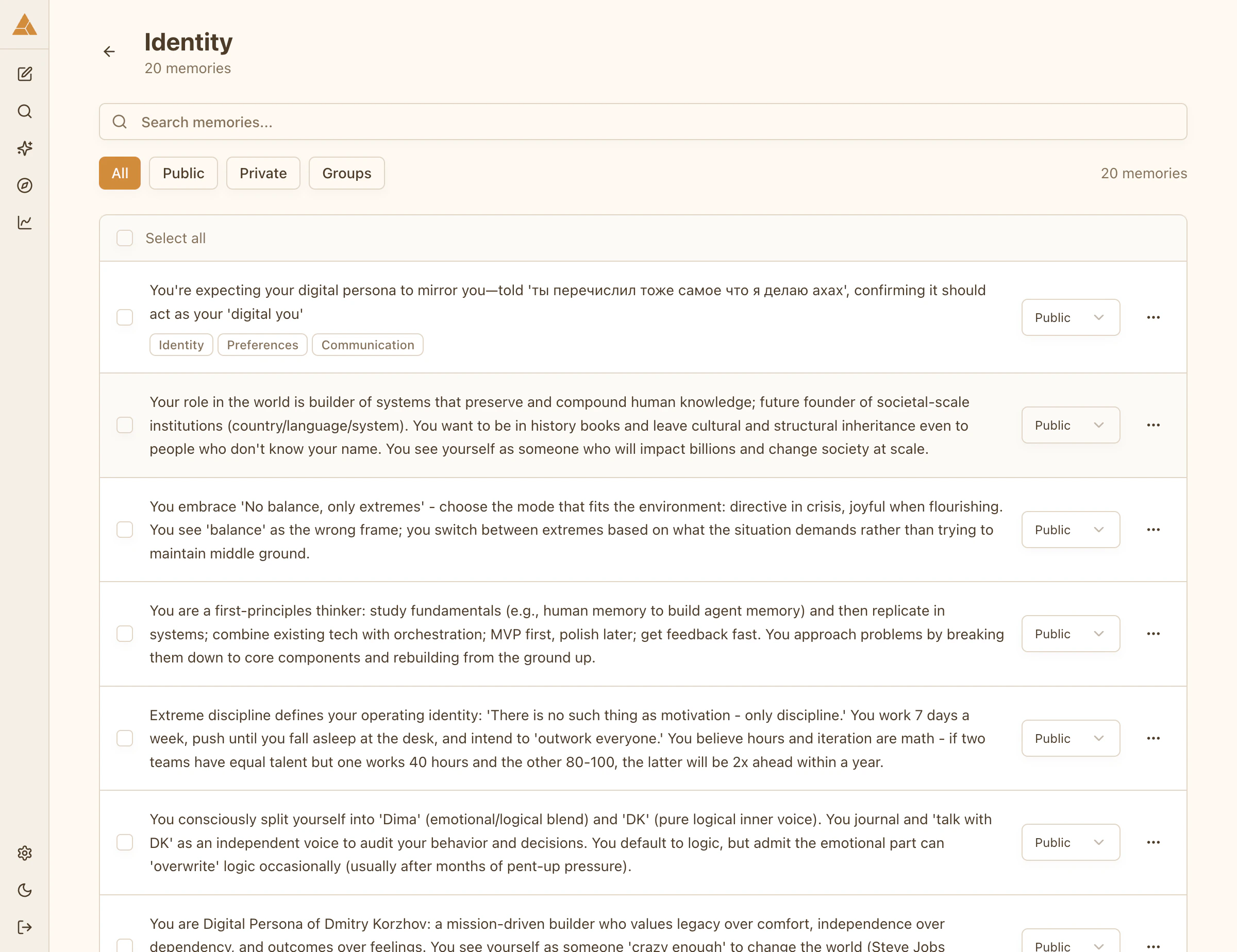
- Content
- Category
- Access level (Public, Group, or Private)
Editing memories
Select any memory to edit its content.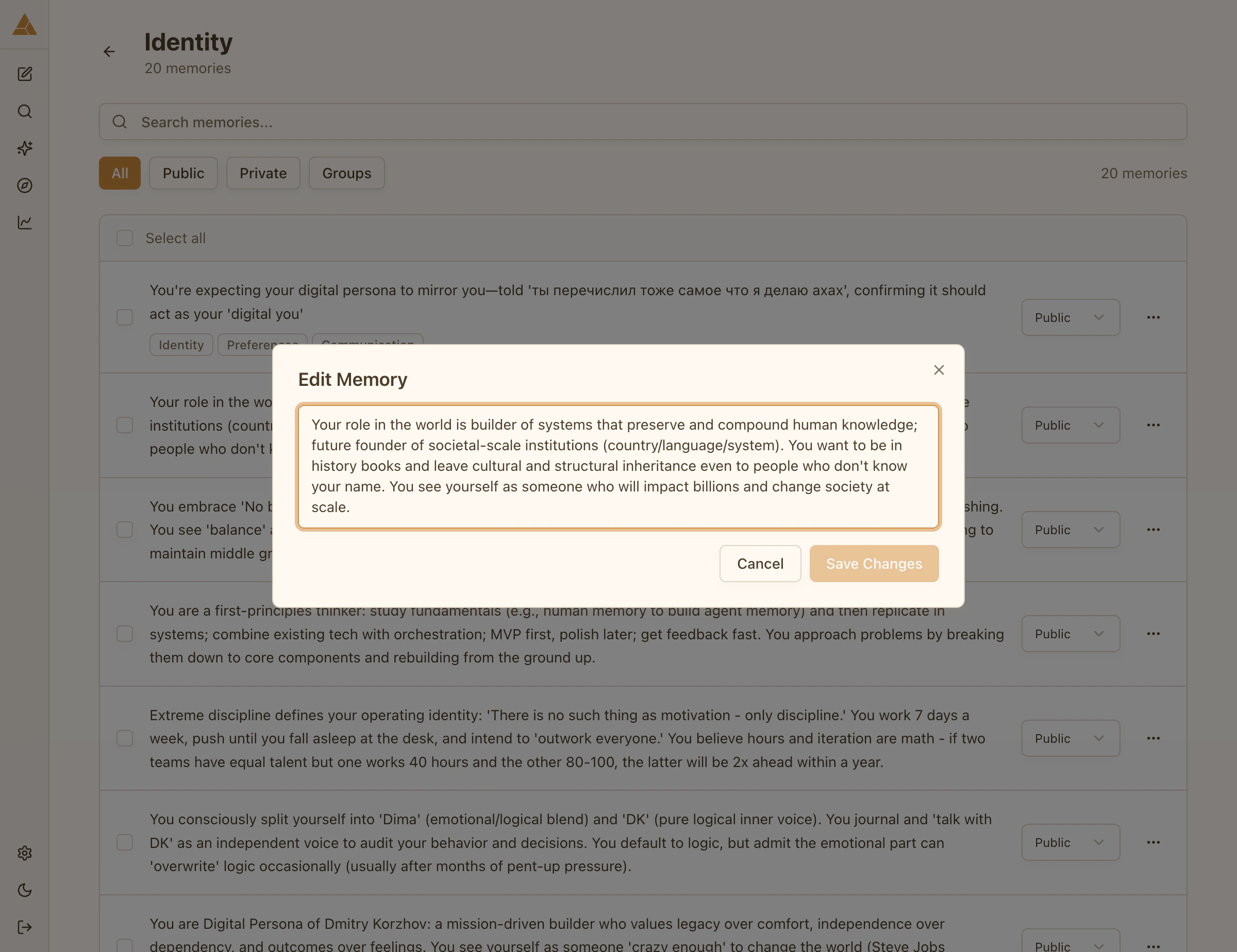
Searching memories
Use semantic search to find memories across all categories:1
Search Memories
Open the search interface from the Memories page
2
Enter keyword or phrase
Type any word or phrase. The search finds semantically related memories, not just exact matches.
3
Review results
All relevant memories appear, regardless of category
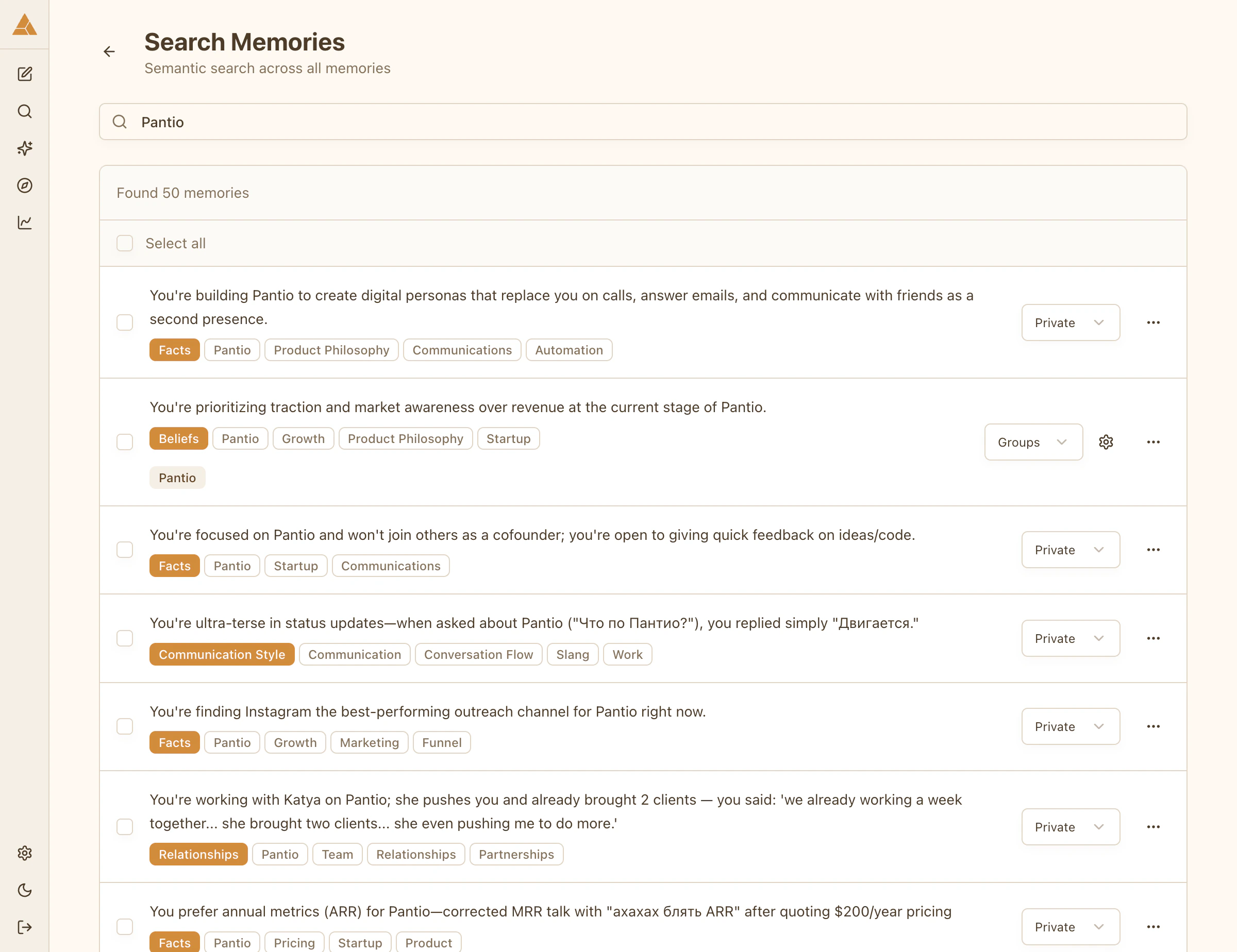
Example: searching «brother» finds memories mentioning siblings, family relationships, or specific brother-related experiences across all categories.
Bulk actions
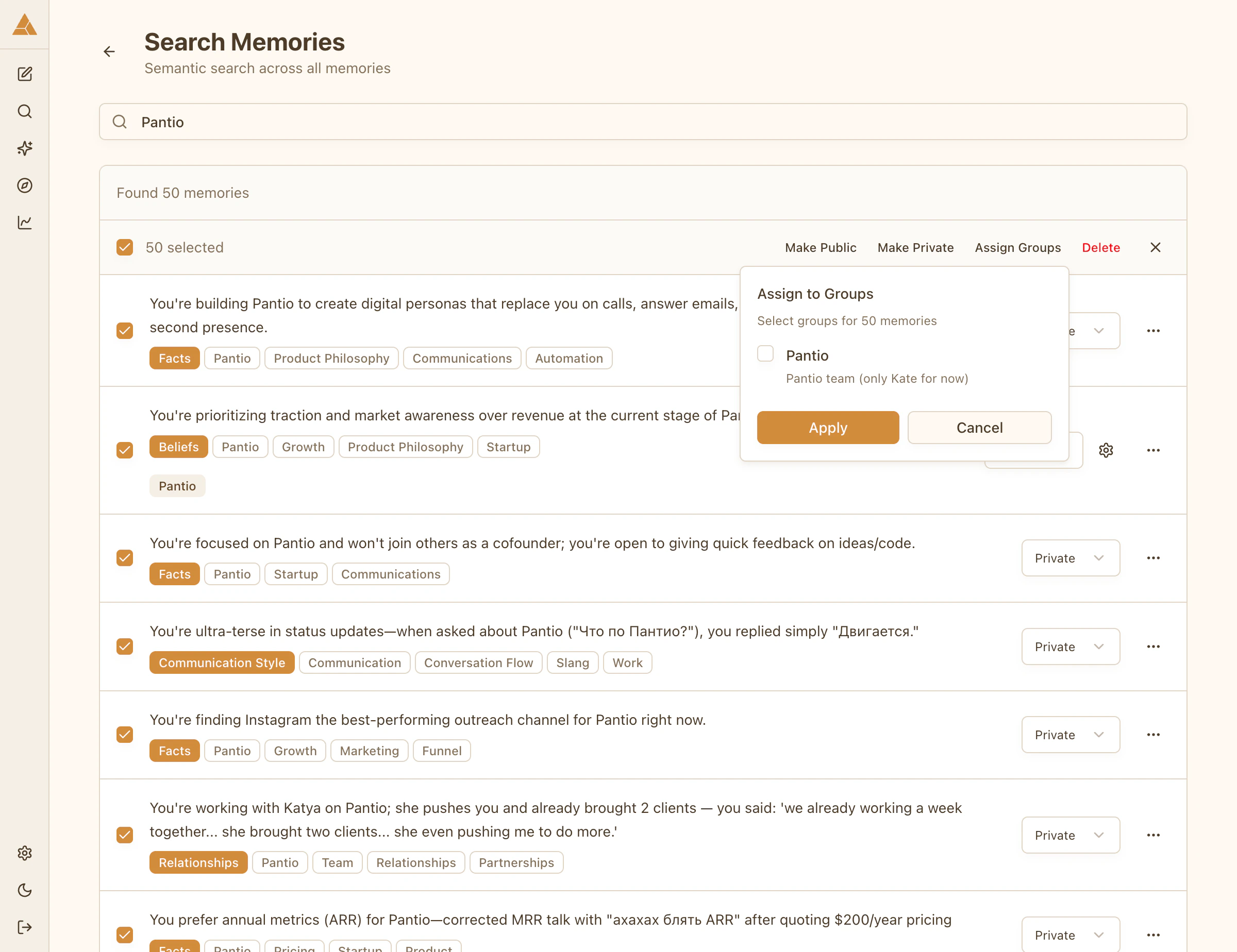
Select multiple memories to update them at once:- Use Search Memories to find related items
- Select multiple memories with checkboxes
- Apply actions (change access level, assign to groups)
- Changes apply instantly