

Memory-level access control
Each memory has its own access level. You control who sees what, memory by memory.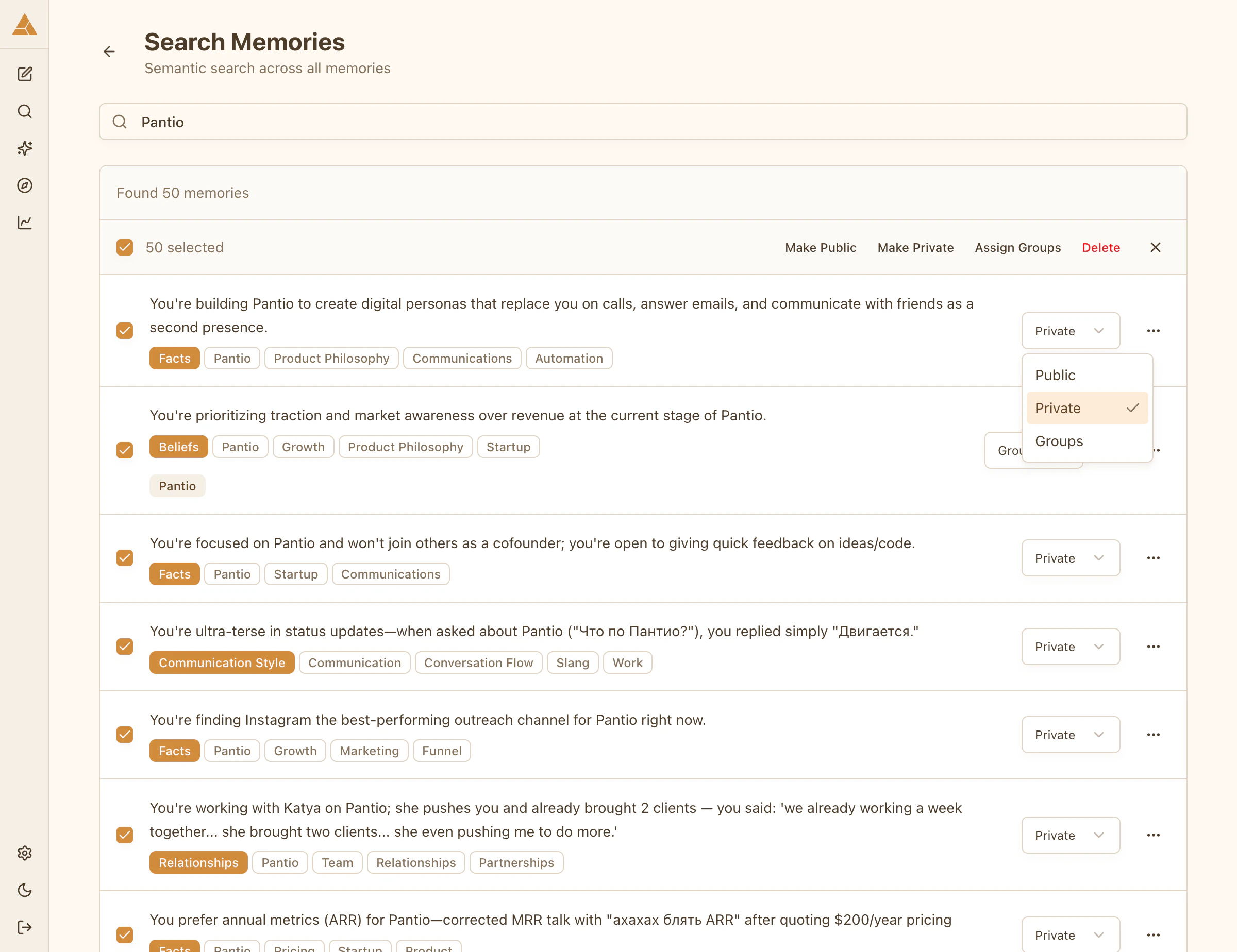
Access levels
Public
Anyone visiting your persona can see this memory
Group
Only members of selected groups can see this memory
Private
Only you can see this memory
Setting access
Select any memory and choose Public, Group, or Private. For group-level access, select which groups can see this memory.Bulk access changes
Update access for multiple memories at once:- Use Search Memories to find related items
- Select multiple memories with checkboxes
- Choose Make Public, Make Private, or assign to a group
- Changes apply instantly
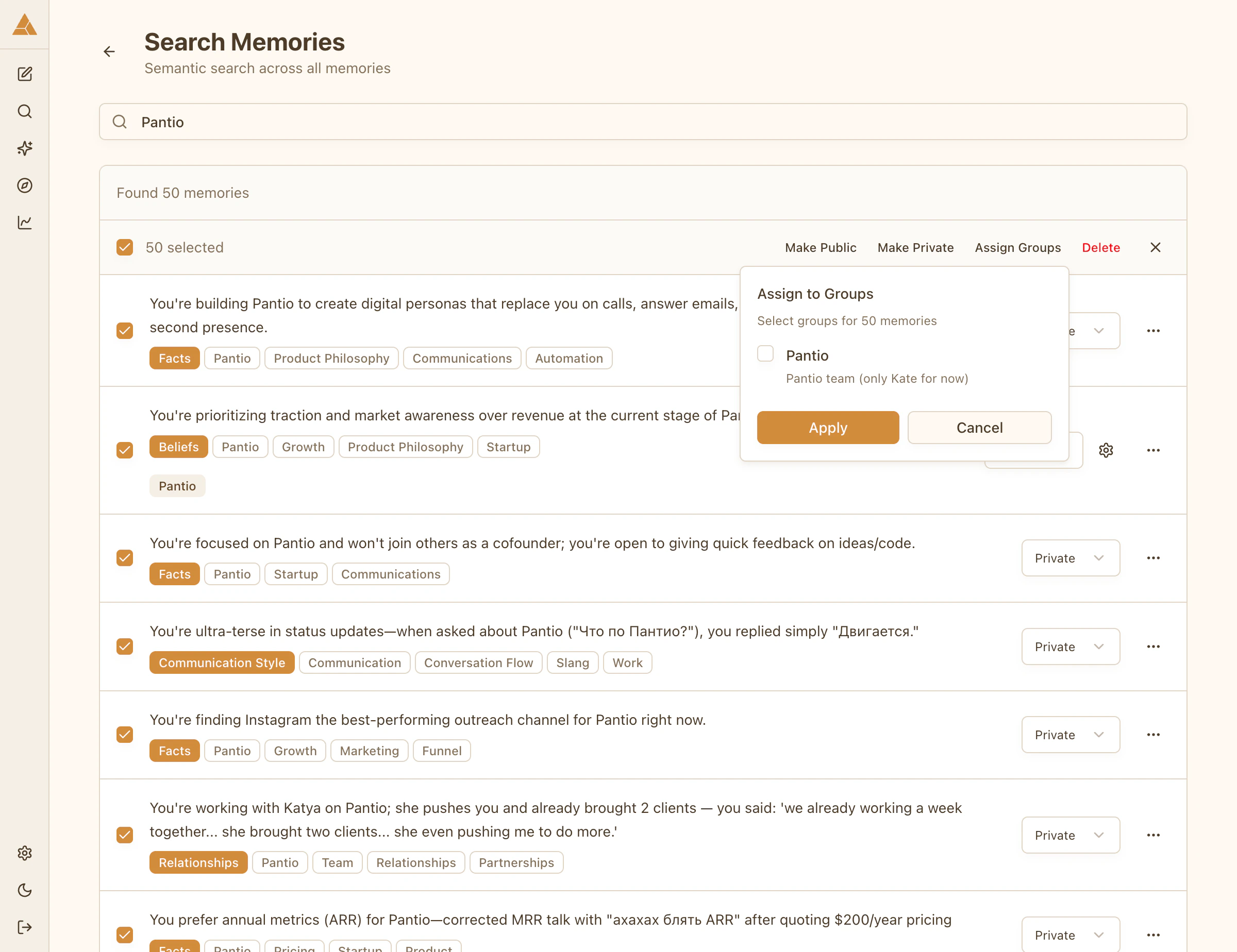
Example: Search for «work» and make all work-related memories visible only to your «Colleagues» group.
Smart Memory Sharing
Let AI automatically distribute your memories between private, group, and public based on content analysis.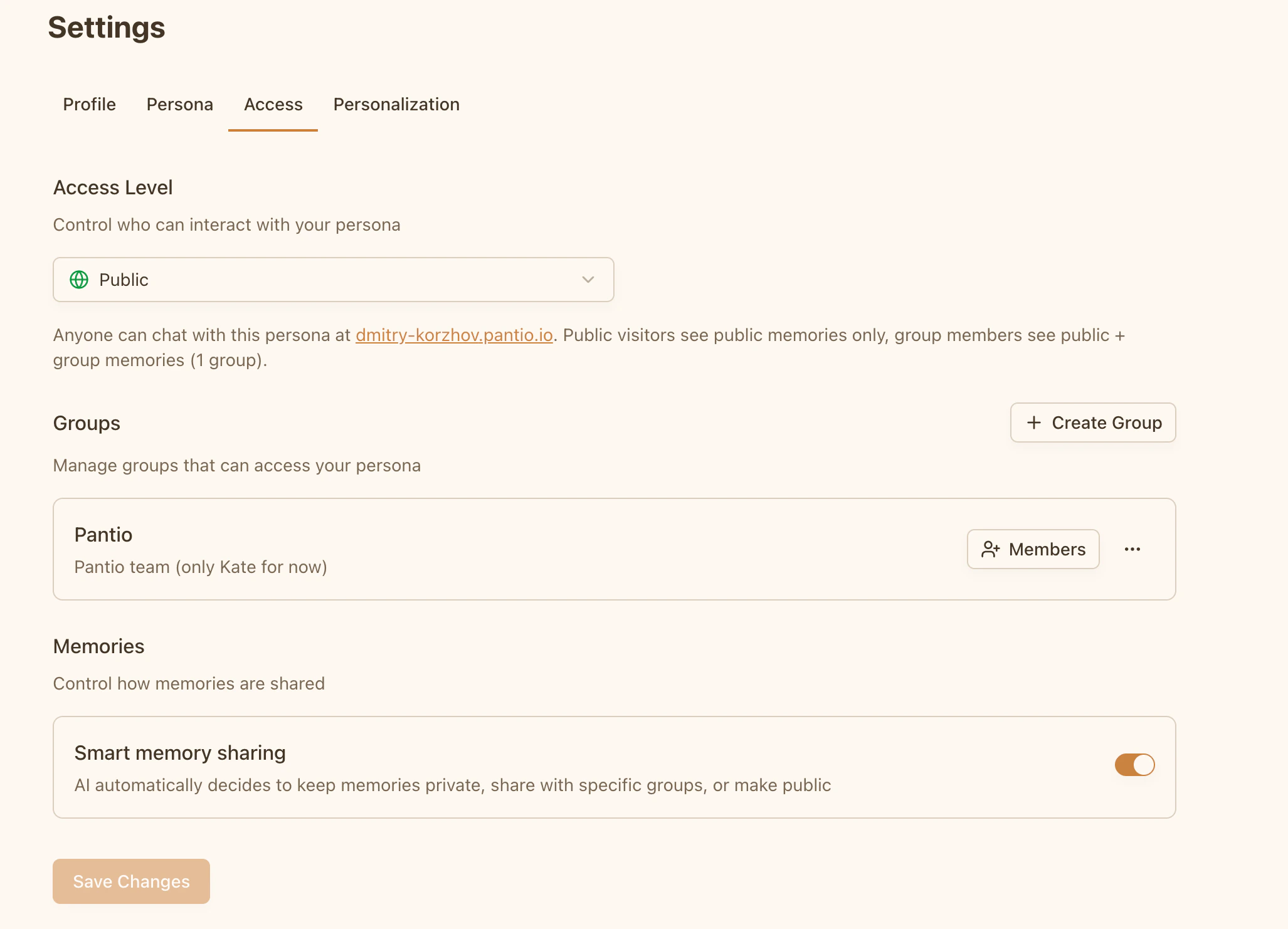
How it works
When enabled, AI analyzes each new memory and assigns the appropriate access level:- Private - Sensitive information, personal data
- Group - Information relevant to specific groups
- Public - General facts, non-confidential information
Enable Smart Sharing
Go to Settings → Access → Memories and toggle Smart memory sharing.Available only for personas with group or public access level.
What AI considers
- Content sensitivity
- Your groups and their descriptions
- Persona access level