

Groups
Groups let you share your persona with specific people and control which memories they can access.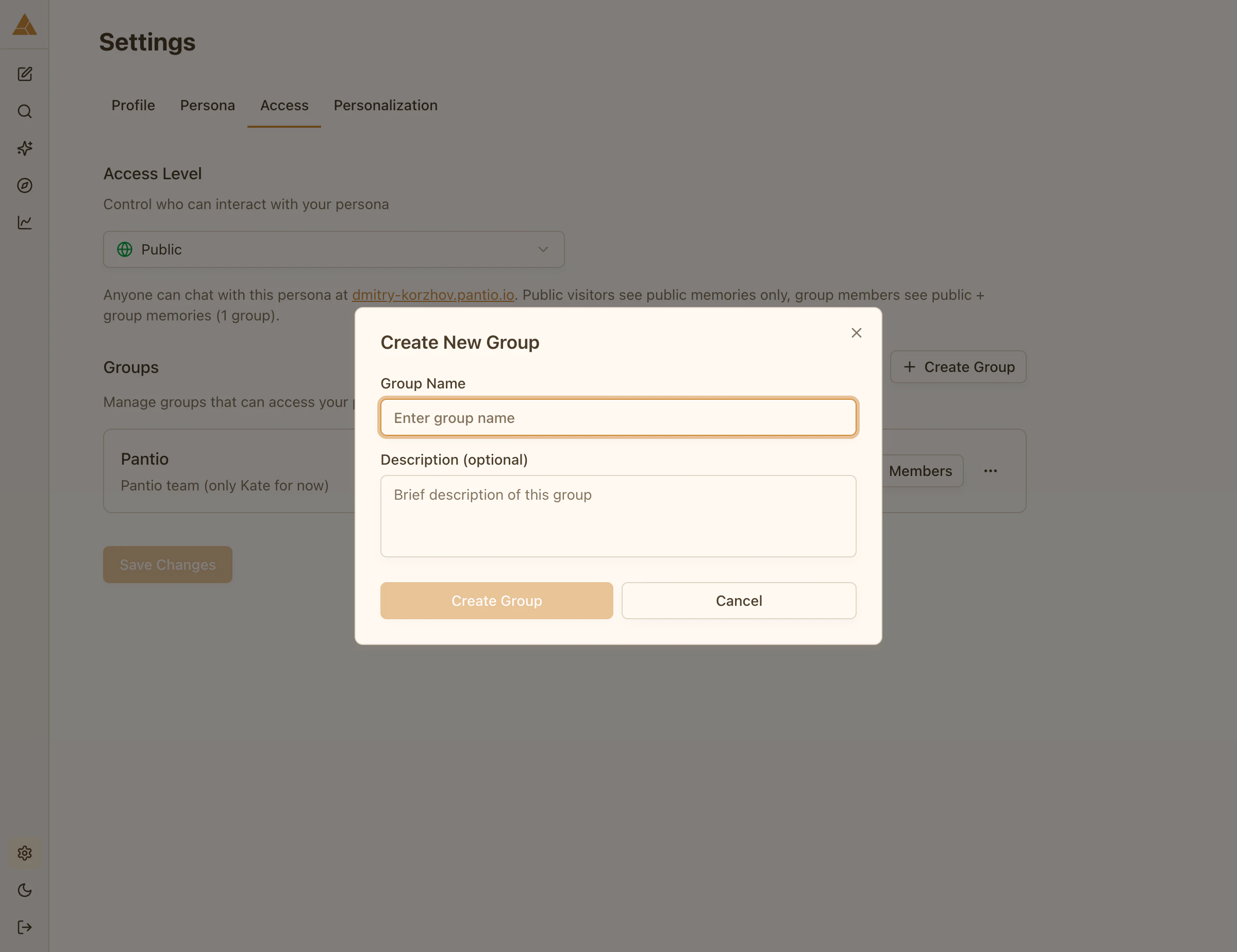
Creating a group
1
Go to Settings → Access
Navigate to the Access tab in Settings
2
Create Group
Enter a group name (e.g., «Family», «Close Friends», «Work Team»)
3
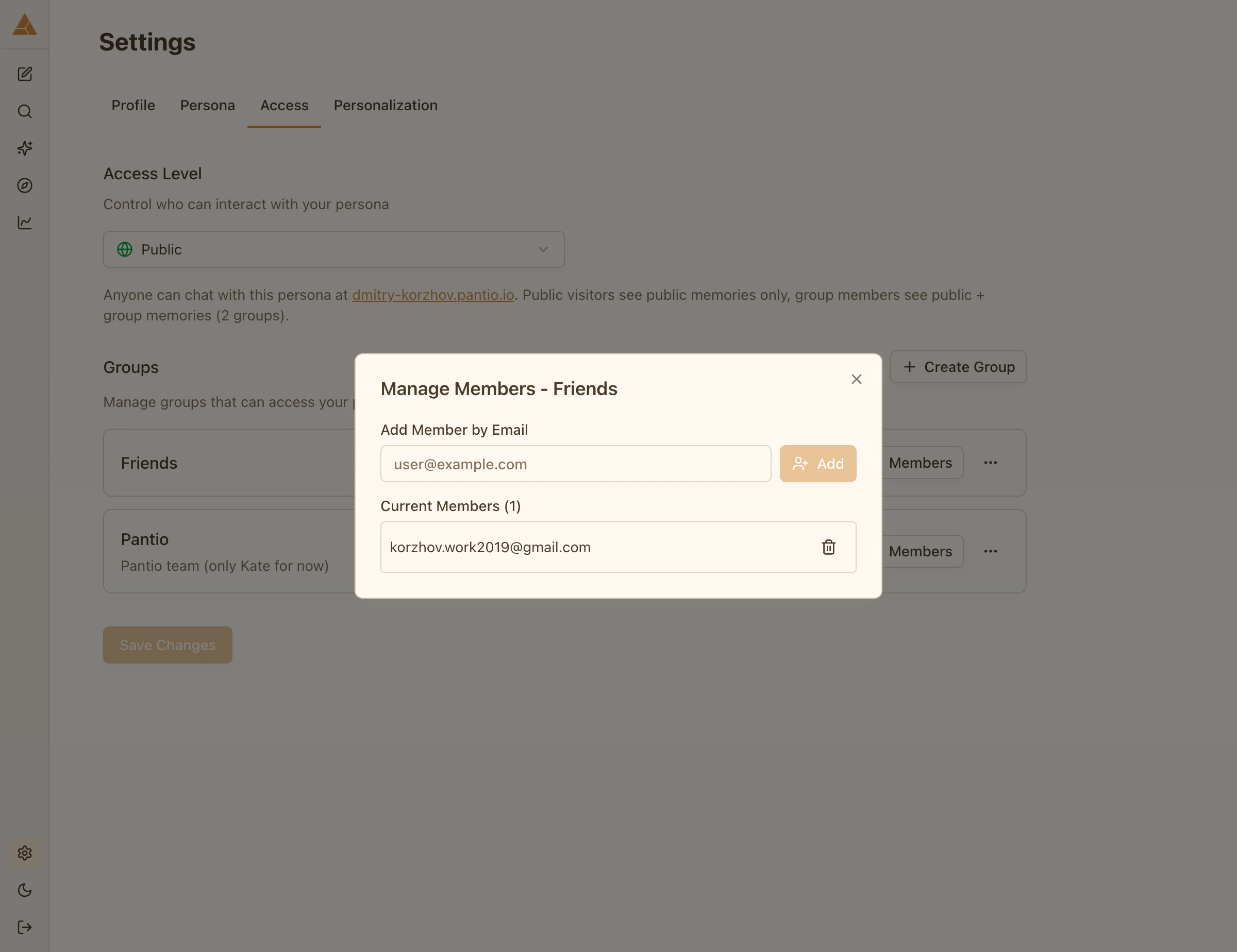
Add members
Enter email addresses of people you want to invite
Group access
When you create a group and add members:- Members receive an invitation email
- They log into Pantio using their email
- They can access your persona and chat with it
- They see public memories + memories assigned to their group
Assigning memories to groups
You control which memories each group can see:- Go to Memories
- Select a memory
- Choose Group access level
- Select which group(s) can see this memory
- Save
Example: Create a «Family» group and assign personal memories to it, while keeping professional memories in a «Colleagues» group.
Multiple groups
You can create multiple groups with different access:- Family: personal stories, relationships, family memories
- Work Team: professional knowledge, work experiences, skills
- Close Friends: mix of personal and casual content
Editing groups
You can add or remove members at any time:- Go to Settings → Access
- Select a group
- Add or remove email addresses
- Changes apply immediately